Web tally
Everyone who is not sitting at the HotPunch machine reads the show from a browser: camera operators on a phone clamped to the pedestal, the director on a tablet, the showcaller on a laptop at the back. This page covers how those pages are served, the three views, who is allowed to see what, what the overlays mean, and what happens to a viewer when the machine publishing to it dies.
What you need
- Local serving: nothing but a network the browsers and the HotPunch machine share. No licence tier, no mixer, no internet. You can prove the whole thing works Offline.
- Cloud serving: a room provisioned in the HotPunch portal, and the publisher key it gives you. The machine needs outbound internet.
- The machine's IP address, if you are serving locally. HotPunch does not display it and does not print a QR code — you get it from the operating system.
Two ways to serve, and they are not alternatives
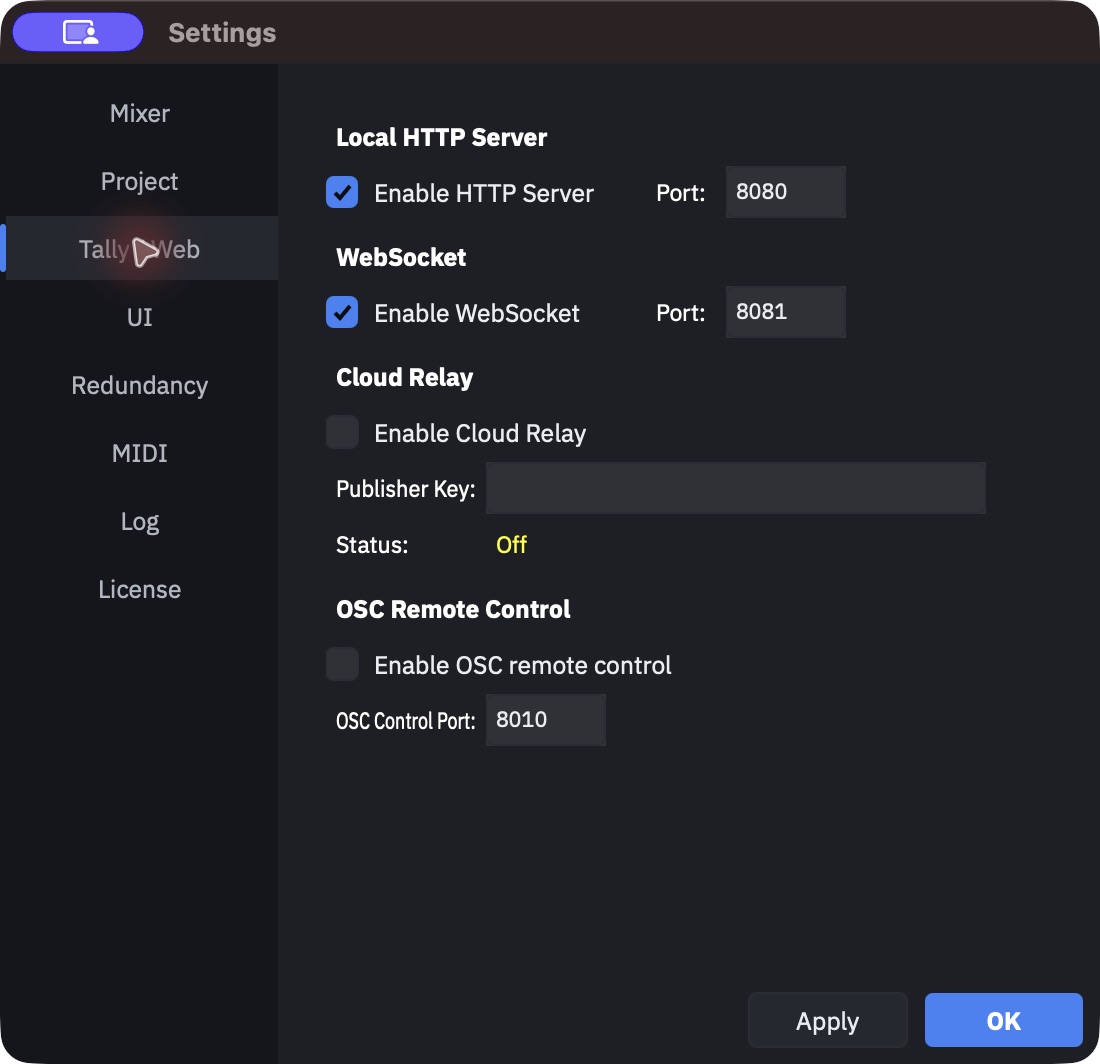
Both live in Settings > Tally / Web, and both can run at once.
Local is two servers, not one. The HTTP server (default port 8080) hands out the page; the WebSocket server (default 8081) feeds it. They have separate toggles and separate ports, which invites a mistake worth naming:
HTTP without WebSocket is a dead page
The page served locally is always wired for WebSocket — there is no polling fallback in a locally served page. With the HTTP server on and the WebSocket server off, browsers load the page fine and then sit on a STALE DATA overlay forever. If the pages open but never update, check the WebSocket toggle before you check the network.
Cloud is a single outbound connection from HotPunch to the relay; viewers reach the relay over the internet instead of reaching your machine. It is the answer for a director who is not in the building, and for venues whose Wi-Fi will not let a phone talk to a laptop. Enable it and paste the publisher key from the portal.
If a port is already taken, the server does not start and you get an alert naming it:
"port N is unavailable (already in use?). Tally pages will not be reachable." The local
server's comings and goings are logged as Tally HTTP: lines; the cloud relay has its own
segment in the status bar.
The three views
Open the page and you land on a setup screen with a view selector. There are three choices, and the third is easy to miss:
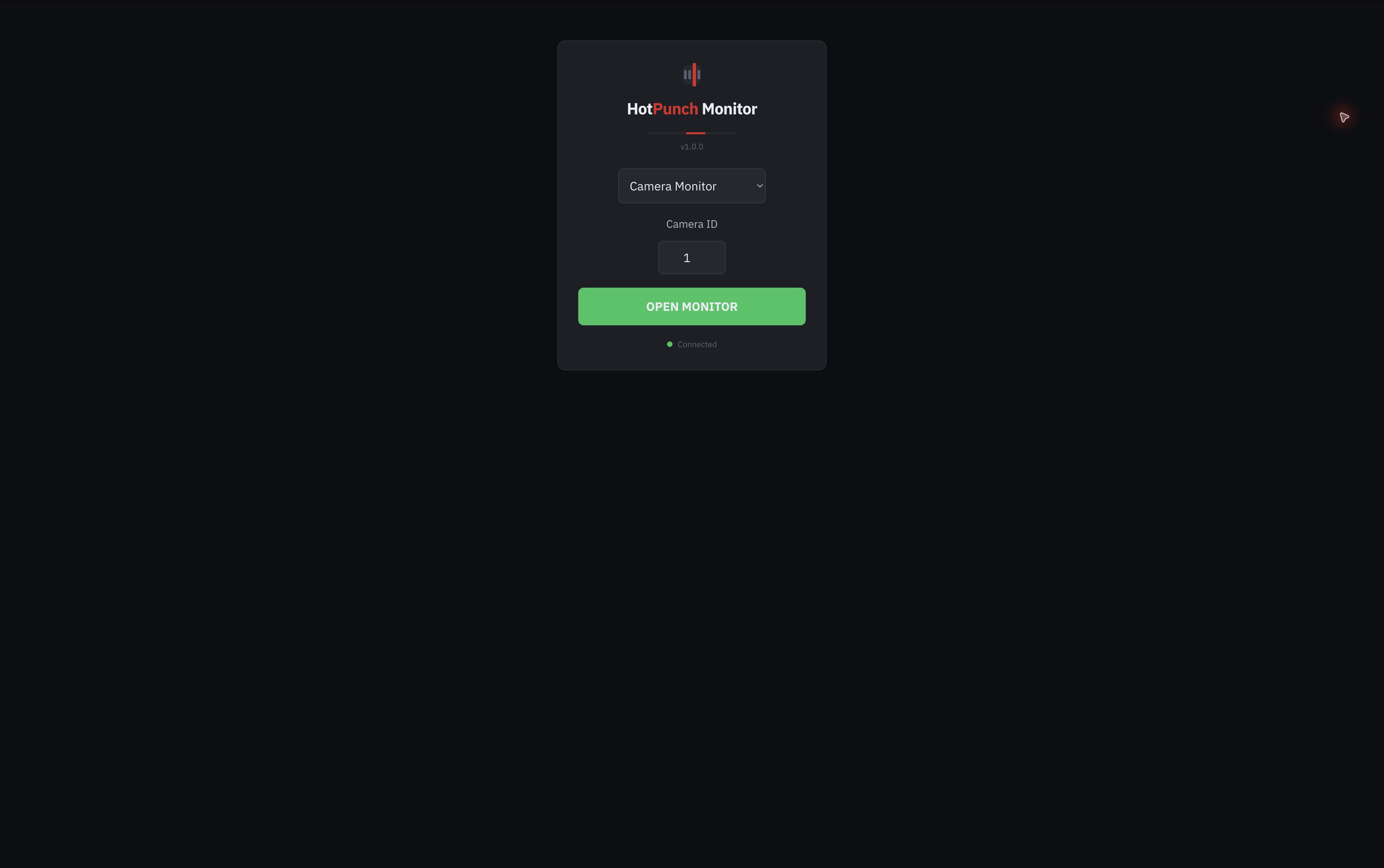
| View | For | What it shows |
|---|---|---|
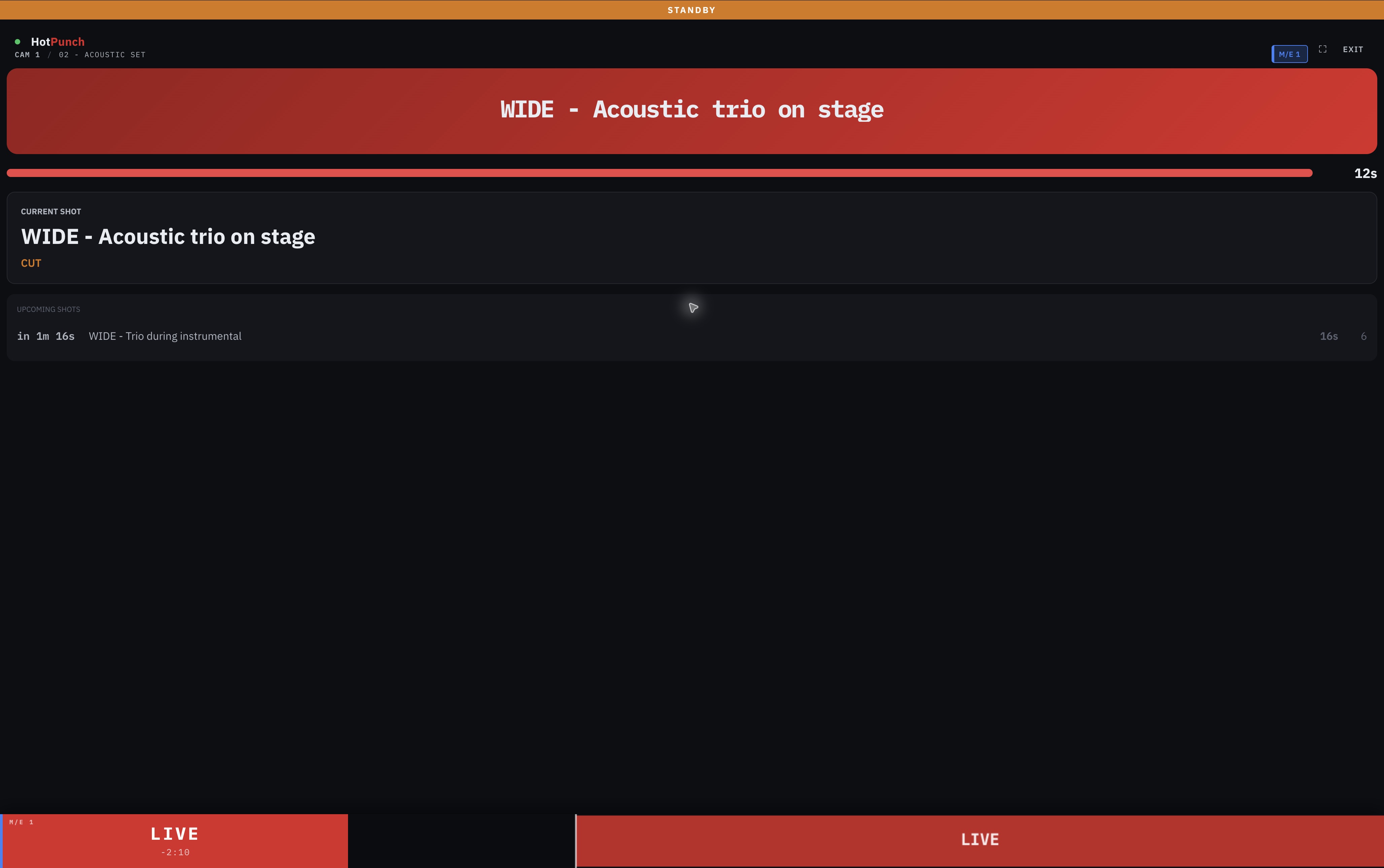
| Camera Monitor | An operator on one camera | Their own tally state, the next shot with its shot description, a standby countdown, and the upcoming shots for that camera |
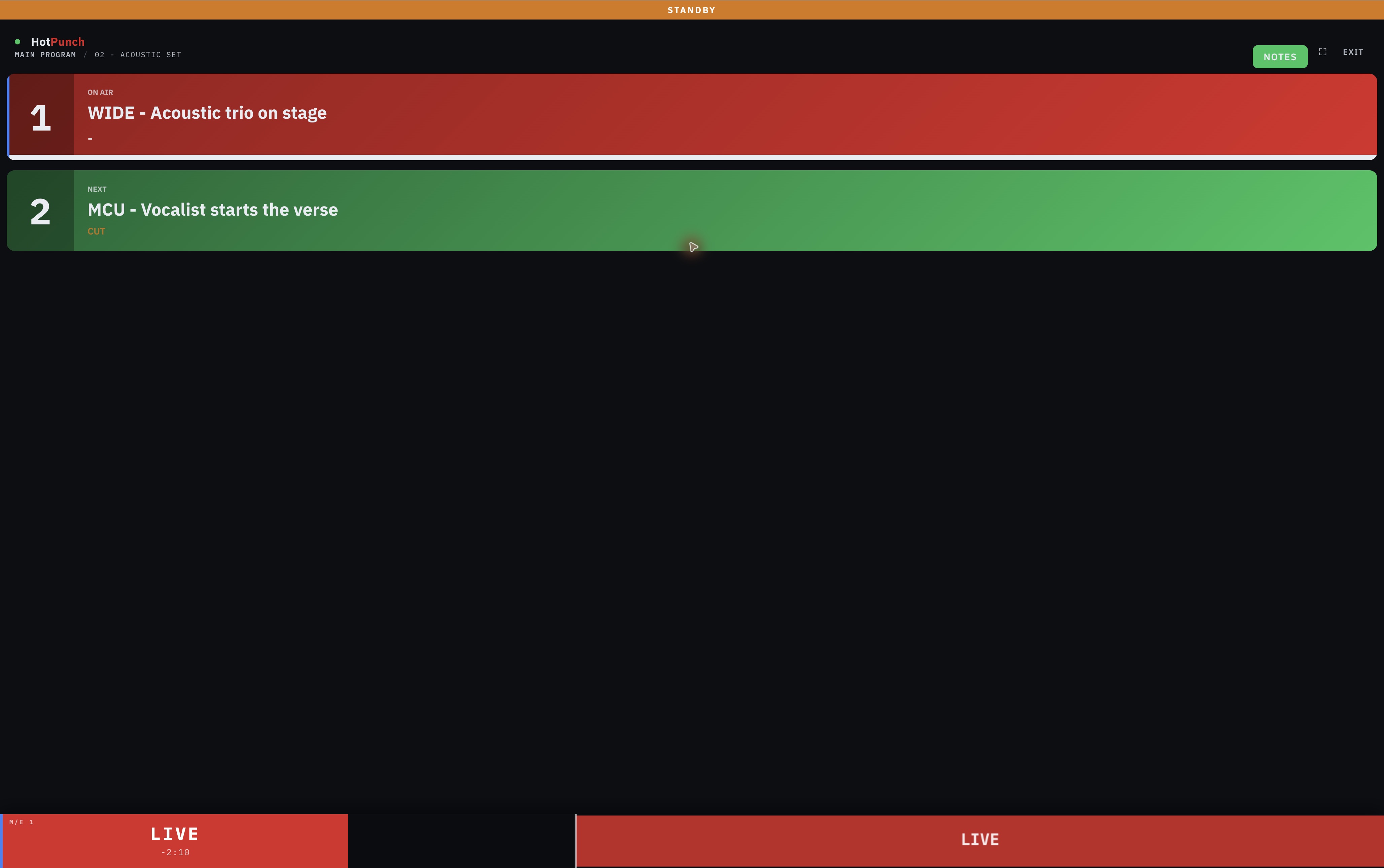
| Main Program (Regia) | The director / vision mixer | On air and next for the whole show, the transition in progress, and — behind a NOTES button — the notes track |
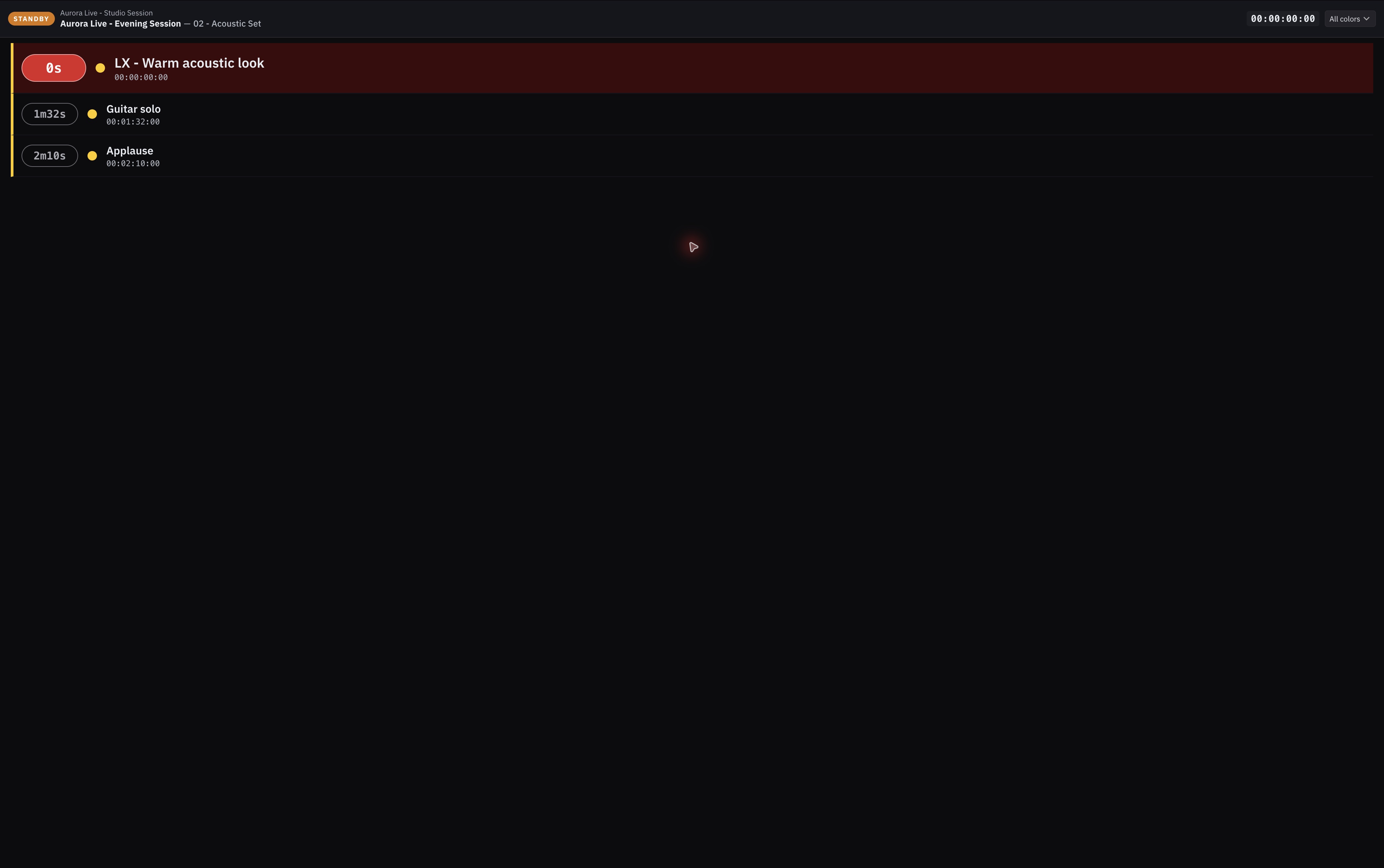
| Showcaller (Markers) | Whoever calls the show | A read-only marker feed with running timecode, a colour filter, and a full-screen GO! flash as each marker passes |
The camera view never shows the notes track, by design: an operator gets their own shot descriptions, not the show-wide commentary. The split between the two is explained in The notes track.
The showcaller view is deliberately stripped: it suppresses the mode bar and the overlays
described below and folds their meaning into the status pill at the top left, which reads
NO DATA when the feed stops. If you are debugging a connection, do it from a camera or
director view — the showcaller hides the diagnostics on purpose.
This is the timeline's tally, not the mixer's
Every one of the three views is computed from the active timeline and the playhead. None
of it is read back from the switcher. A camera reads ON AIR because a cue for that camera
covers the playhead — not because the mixer says so.
The consequence you have to hold in your head: in Break, the pages can lie. The mode bar correctly reads BREAKAWAY ACTIVE, but the tally underneath it keeps describing the timeline, while the actual programme is whatever the vision mixer is doing by hand. Tell the crew that the pulsing red bar means stop trusting the numbers. See Break.
A camera goes STANDBY when its next cue is within ten seconds, with a countdown; before
that it shows nothing but its upcoming list. With dual M/E on, the camera view
covers both buses: a sidebar appears showing which bus the camera is live on — M/E 1,
M/E 2, or M/E 1 + 2 — and the upcoming list merges cues from both lanes.
Marker colours
The showcaller's colour filter offers the eight marker colours. What each colour means is your convention, and you can label them per project — see Colour labels.
Cameras 17 to 20 cannot be selected from the web
The camera picker on the setup screen accepts 1 to 16. The application supports a camera count up to 20, and the tally data is served correctly for all of them — it is the web page's input that stops at 16. If your show runs more than sixteen cameras, the operators on 17 and above have no page to open. Plan around it.
The mode bar tells the operator whether any of this is real
Across the top of the camera and director views sits a bar reading OFFLINE, STANDBY, LIVE or BREAKAWAY ACTIVE, colour-coded and — in break — pulsing.
This is the single most useful thing on the page for a crew member, because everything else looks identical whether the timeline is driving the mixer or not. An operator watching a tally that changes on cue during a rehearsal has no way to know it is a rehearsal except this bar. The states themselves are in The four operational states.
The overlays, and what each one means
The page interpolates between updates, so the countdowns keep ticking smoothly between packets. When the packets stop, that interpolation becomes a lie, so it is cut off: after about 1.25 seconds without data — five missed updates at the 4 Hz publishing rate — a full-screen overlay takes over.
| Overlay | Meaning |
|---|---|
| STALE DATA | The feed stopped. Network, or the publishing machine |
| PUBLISHER DISCONNECTED | Cloud only: the relay is up, the HotPunch machine is not |
| WAITING FOR PUBLISHER | Cloud only: same, but the machine has never connected in this session |
| SERVER FULL | The local WebSocket server is at its viewer limit — see below |
| SWITCHING TO BACKUP... | The viewer has given up on this machine and is moving |
The distinction between the first two matters when something goes wrong in cloud mode: STALE DATA points at the viewer's own connection, PUBLISHER DISCONNECTED points at the production. They are different phone calls.
Thirty-two viewers, locally
The local WebSocket server accepts 32 simultaneous clients. The thirty-third completes its handshake, is told the limit has been reached, and shows SERVER FULL instead of a silent failure. It then slows its reconnection attempts to one every 15 seconds so that a roomful of phones cannot hammer a server that is already at capacity.
Two consequences worth planning for:
- A phone that is locked, or a tab that was closed badly, may still be holding a slot until the socket times out. Thirty-two is not thirty-two people.
- The count is per machine. It does not apply to cloud viewers, whose limit is set on the relay for the room.
Who is allowed to see what
Locally, nothing is restricted. Anyone who can reach the machine on port 8080 can open any view, pick any camera, and read the director's notes.
The local server has no password
The project file carries a require authentication flag, but no screen in HotPunch exposes it, so in practice the local tally is open to everyone on the network. Treat the show LAN as the security boundary. If notes and shot descriptions must not leak to the venue's guest Wi-Fi, do not put the machine on it.
Cloud rooms are the opposite: access is by link, and each link carries its own permissions, set in the portal and enforced by the relay rather than by the browser. A link declares:
- Which views it may open. A link limited to a single view skips the setup screen and goes straight there — which is what you want for a camera operator: hand them a URL, they see their camera, there is nothing to configure and nothing to wander into.
- The two status bands, separately. M/E 1 and M/E 2 visibility are two independent permissions, not one switch. A crew working only the main bus does not have to look at the second one, and a link can be issued for M/E 2 alone. See Dual M/E.
- A camera number to pre-fill, and the director view's initial state.
The Director PIN
A cloud room can carry a four-digit Director PIN. When it is set, the director view asks for it before it opens, and a wrong PIN is refused by the relay, not by the page.
Two things follow from where the check lives:
- A link may be pre-authorised, in which case the holder is admitted without typing anything. That is how you give the director a one-tap bookmark while still gating the view for everyone else.
- A link restricted to camera or showcaller views is never treated as a director, whatever PIN it presents. Restricting the views is the stronger control; the PIN is the convenience on top of it.
The PIN is configured in the portal, with the room. It is not a setting inside HotPunch.
Two machines publishing the same show
Cloud rooms hold one publisher at a time. Start a second HotPunch on the same project — the laptop you were rehearsing on yesterday, a backup machine someone powered up early — and the newcomer is told the slot is taken:
Web relay already in use — This project is already published to the web relay from "machine". Taking over moves the web tally/viewers to this machine. It does NOT change which machine controls the mixer. Take over / Cancel.
Read the third sentence twice. Taking over moves the viewers, and nothing else. The mixer keeps being driven by whichever machine was driving it. Doing this by reflex during a show points the entire crew's phones at a machine that is not producing the programme, while the tally they see still looks plausible.
The machine that loses the slot is told so — "Web relay taken over ... this machine has stopped publishing. Mixer control is unaffected." — and stops publishing. It does not fight for it back.
A related alert, "Redundancy / web tally mismatch", fires when the machine's redundancy role and the role the relay assigned it disagree: the viewers are being served by one machine while another is driving the show. It appears once per divergence and re-arms when the two agree again. It is a configuration warning, not an emergency, but it is worth resolving before you go live.
What happens to viewers when the primary dies
This section only applies with redundancy configured. It is the one piece of the web layer that behaves differently depending on how the viewer got its page.
The chain has three links, and the first one has to happen while the primary is still alive:
- The viewer learns where the backup is. While the pair is healthy, the primary publishes the backup's tally address inside the same feed that carries the tally data. Every connected viewer quietly remembers it. This is why the address arrives before it is needed: the channel it travels on dies with the machine.
- The viewer works out that the machine is gone. Not on the first dropped packet — the page reconnects, doubling its delay each time. Only when that backoff hits its ceiling, after four consecutive failures, does the viewer conclude the machine is not coming back. That is roughly seven seconds of silence, not a blink.
- The viewer moves. How it moves depends on where it came from:
- Served locally, the viewer navigates to the backup's own page, carrying its current view in the URL so an operator lands back on their camera rather than on the setup screen. It has to navigate rather than just re-point its socket, because the page itself came from the machine that just died.
- Served from the cloud, the viewer re-points its socket at the peer relay. A cloud viewer never loses the publisher — the relay swaps primary for backup under a socket that stays open — so what this covers is losing the relay, which is a different failure.
Before navigating, a local viewer probes the backup. If the backup does not answer, or answers with a redirect — which is what a backup still in standby does, bouncing every request to the primary — the viewer stays put and keeps retrying. Landing an operator on a browser error page, or bouncing them back to the machine that just died, is worse than a stale overlay they can see and report.
Coming back
When the primary returns, viewers that moved are offered the way back, not dragged: a toast counts down ten seconds and there is a CANCEL button. Cancel latches — the offer does not reappear for the same restoration, so a viewer that chose to stay on the backup is not nagged every few seconds.
Where to point the browsers in the first place
Point them at the backup's address, and while the backup is standing by it redirects them to the primary. The bookmark then survives a failover without anybody retyping anything. That setup, and the Peer Tally Port that builds the redirect, belong to Redundancy.
Rehearse the move, do not just read about it
Pull the primary's power during a rehearsal pass and watch an actual phone make the jump, with a stopwatch. Seven seconds of blank tally is survivable if the crew has seen it once and knows what it looks like; it is not survivable as a surprise at 20:55.
Remote control shares this tab
Settings > Tally / Web also holds the OSC remote-control listener, which has nothing to do with the viewers and everything to do with driving HotPunch from a control surface. It is off by default. See Remote control.